
This guide walks through our OnlyGreenFee (OGF) page — the part of the site that handles single tee-time bookings. It is the right tool when you already have somewhere to stay and you just want to lock in green fees. (If you also need a hotel, see our companion walkthrough for the Stay & Play package page.)
The whole flow is built around one rule: every price you see is a real, live tee time on the course's own system right now. We are not pulling cached numbers or showing yesterday's promotions. If a slot disappears between page load and checkout, the price updates in real time.
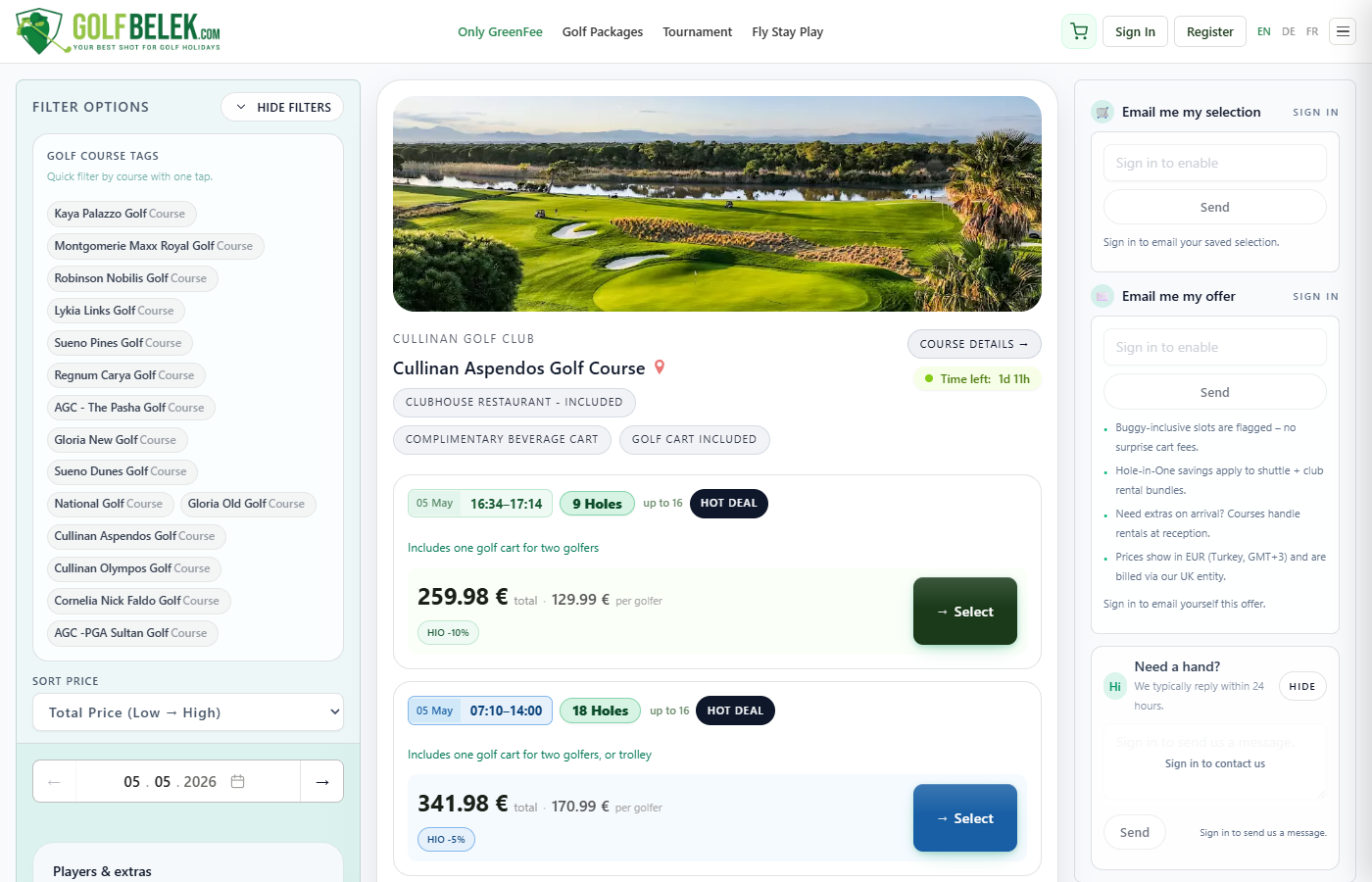
Step 1 — Open the Tee Times page
Go to golfbelek.com/ogf/en/tee-times/
You can also reach this page from the "Tee Times" link in the top navigation, or from the search bar on the homepage. The page loads with all 15 Belek courses showing their cheapest available slot for the next 30 days — no login required.
Step 2 — Use the filter bar
Narrow the list to what you actually want
The filter bar across the top has three primary controls:
- Course — pick one or several courses, or leave empty to see all 15.
- Date — select a single date or a range. The date picker shows the next 90 days; for further-out bookings, scroll right.
- Round type — 18-hole, 9-hole, or Twilight. (See our Twilight guide for what those mean exactly.)
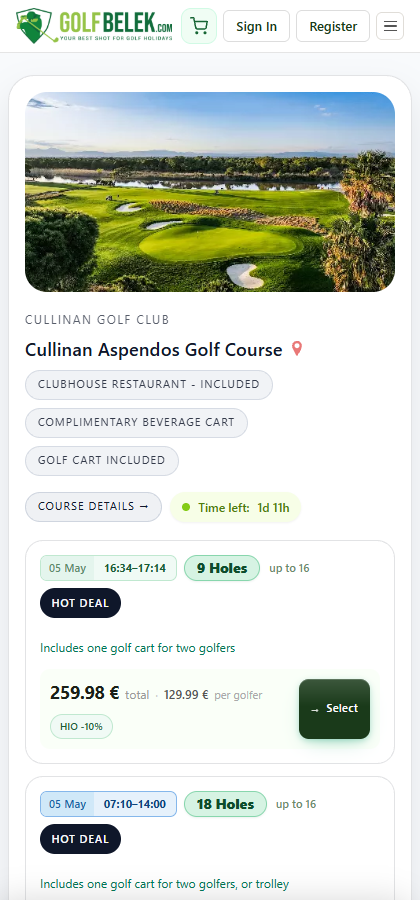
On mobile and tablet the filters appear as a two-row chip grid at the top of the page. On desktop they sit in a left-side panel that stays in view as you scroll.
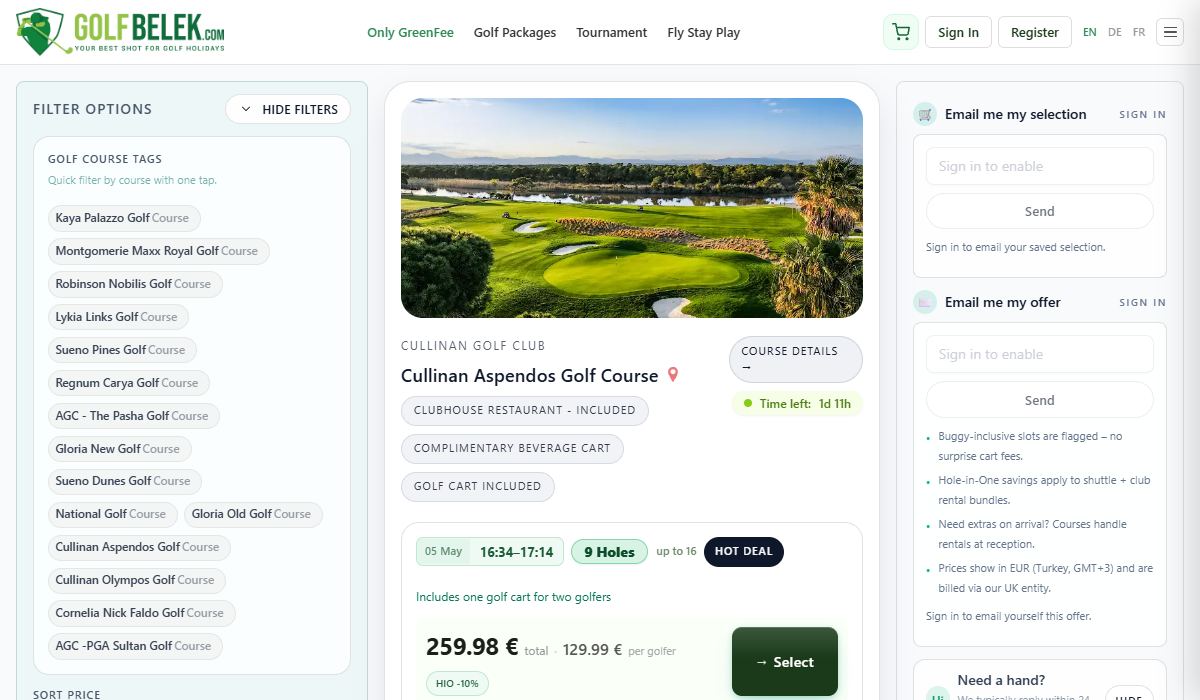
Step 3 — Read the tee-time cards
Each card shows everything that matters in two lines
A typical tee-time card shows you:
- Course name and logo
- Price — "from €X · DD Mon YYYY" — this is the cheapest future tee time available, and the date you would actually play it. If the card says "from €104 · 12 May 2026", that exact slot exists.
- Time — either a single start time, or a window like "16:24–16:42" for slots with a defined end time (typically Twilight or shoulder slots).
- Round type — 18-hole, 9-hole, or Twilight badge.
- Inclusions — a small row of pills indicating what is bundled: "Restaurant included", "Buggy included", "All-inclusive". If a pill is missing, the item is an add-on.
Some cards carry coloured badges:
Hot Deal is our flag for tee times priced 10–25% below the typical rate for that course on that date. They are usually off-peak afternoon slots that the course wants to fill. Hot Deals frequently include the buggy at no extra cost — check the inclusion pills.
Step 4 — Open the booking sheet
Tap the card to expand the full slot detail
The booking sheet opens with three sections:
- Slot details — full date, time, course name, the per-golfer price, and any course-specific notes (dress code, handicap suggestion, restaurant rules).
- Number of golfers — pick anything from 1 to 4 for a standard slot. Larger groups (up to 16) are handled by the group selector and may be split across consecutive tee times automatically.
- Add-ons — buggy, club rental, shuttle. Each shows the live price; the total updates as you toggle them.
Step 5 — Add buggy, club rental and shuttle
The four add-ons that change the final price
- Buggy (golf cart): Most courses cap at two players per cart, so a 4-ball typically needs two carts. Pre-booking is roughly €5–€10 cheaper per cart than paying at the course.
- Club rental (full set): Online price is typically a euro or two below the reception rate. Cornelia premium sets are higher.
- Shuttle: Hotel-to-course transfer. Pick your hotel from the dropdown; pricing is per golfer each way.
- Beverage cart pass (selected courses): on-course food/drink service, separate from the buggy.
Step 6 — Confirm and pay
Tap I Confirm → Stripe checkout → voucher
The final screen shows the lead golfer's name and email, plus an optional notes field (allergies, accessibility requests, group leader contact). Payment runs through Stripe — cards, Apple Pay and Google Pay supported.
The voucher lands in your inbox within seconds of payment clearing. It includes:
- Course name, date and tee time
- Number of golfers and any add-ons
- Reservation reference number
- Course address with a Google Maps link
- What to bring (clubs, dress code reminder)
- Cancellation policy for that specific course
Show the voucher (printed or on phone) at the course reception. That is it.
What if you cannot find a slot that fits?
Sometimes the date and course you want do not have a published tee time. This is often because the course has not yet released availability for that date, not because it is sold out. In that case you will see a "Request a tee time" button at the bottom of the course card.
Submitting a request writes to our reservations system with a "request" flag. We confirm with the course manually, usually within 4 hours during Belek business hours. If the slot is available, we send a payment link; if it is not, we propose the closest alternatives.
Common questions
Can I book a tee time for today?
Yes, up to 90 minutes before the start time, depending on the course. Same-day slots show the actual remaining time in the booking sheet. We do not display same-day slots on the search page if the start time has already passed.
What is the cancellation policy?
It varies by course. The voucher includes the exact policy. As a rough guide: free cancellation up to 72 hours before the tee time at most courses, partial refund or rebooking inside 72 hours, no refund inside 24 hours.
Do I need a handicap certificate?
For most Belek courses, no. A handful recommend one but enforce it loosely. If you do not have one, leave the field blank and we will note it on the booking. See our handicap guide for the per-course detail.
Can I edit the booking after confirming?
Player names and add-ons can be edited up to 24 hours before the tee time through the link in your voucher email. Date and course changes need to go through us — reply to the voucher email.
Is the price on the card always the final price?
Yes — for the green fee at the listed golfer count. The total will only go up if you add buggy, club rental, shuttle or beverage cart. We do not charge service fees, booking fees, or currency-conversion fees on top.
Bottom line
The OGF page is the fastest route to a confirmed Belek tee time. Open the page, filter to your course and date, tap the slot, add the extras you need, and pay. Most bookings take around three minutes from start to voucher.
If you need a hotel as well, the Stay & Play (GP) page is the better starting point — it bundles rooms, rounds and transfers in a single trip cost.